
Synthesia: review, pricing and alternatives

What is Synthesia? An Overview
When I first encountered Synthesia, I was immediately struck by its promise: to revolutionize video creation using artificial intelligence. At its core, Synthesia is an AI video generation platform designed to let you produce professional-looking videos without the need for cameras, actors, or complex editing software. It accomplishes this by employing highly realistic virtual presenters, often referred to as avatars, who can convey your message with natural-sounding AI voices.
The fundamental idea behind Synthesia is to transform text into engaging video content. You provide the script, and the platform handles the visual and auditory heavy lifting, bringing your words to life through a digital human. This capability makes video production significantly more accessible, allowing individuals and businesses alike to create compelling visual content quickly and efficiently, bypassing many of the traditional hurdles of video production.
What I find particularly impressive about Synthesia is its core purpose: democratizing video creation. It's not just about making videos faster; it's about making them achievable for anyone, regardless of their technical video-editing prowess or budget for traditional film crews. The platform acts as a virtual studio, ready to generate content whenever you have a script in hand, making it a powerful tool for scalable video production.
Key Features & Capabilities
Delving into Synthesia's capabilities, what consistently stands out are its realistic avatars. These aren't your typical cartoonish digital characters; many are based on real people, which lends them an uncanny valley level of realism. You can choose from a diverse library of these virtual presenters, and they form the cornerstone of the platform's appeal. However, it's important to note a limitation I quickly discovered: because these avatars are derived from real individuals, you can't customize their clothing, hairstyles, or other personal attributes. What you see is essentially what you get in terms of their appearance.
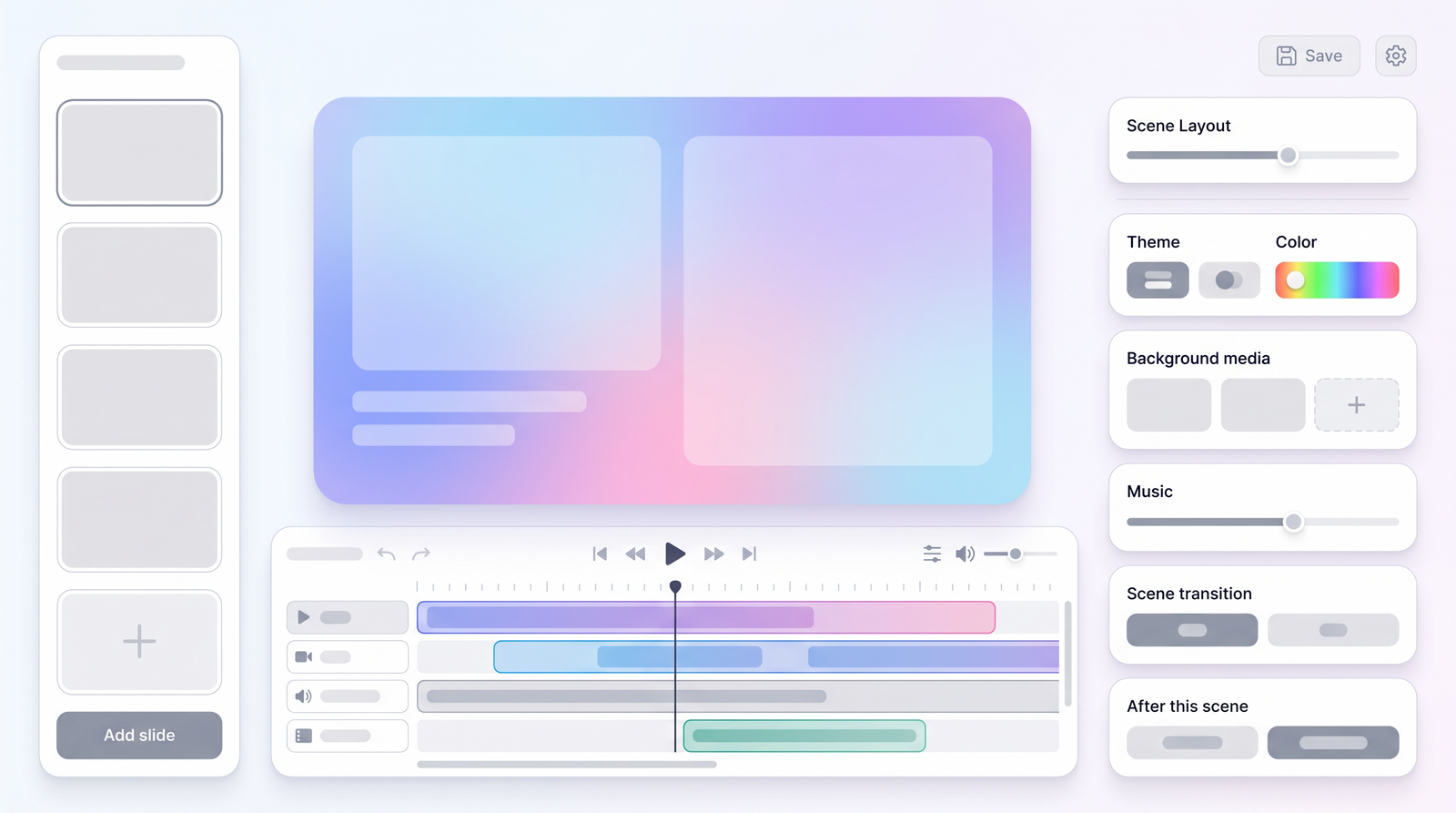
The core functionality revolves around **script-to-video generation**. This is where you type in your desired dialogue, and the chosen avatar will speak it. It's incredibly straightforward. Beyond just talking heads, Synthesia offers a good degree of customization for how your avatar appears within the scene. You can easily adjust their position on the screen, scale them larger or smaller, and even change the background color behind them. For more bespoke productions, I appreciated the option to upload my own background images or even record my screen to use as video content behind the avatar.
To help you get started, Synthesia provides a variety of **templates**. These are pre-designed video structures that can save a lot of time if you're not building from scratch. While they offer a solid foundation, I found the template library to be a good starting point rather than an exhaustive solution for every niche. Additionally, for background ambiance, there's a limited music library available, featuring pre-licensed tracks that you can drop into your videos. It's functional, but don't expect a vast selection. One crucial detail for personal plan users, which I quickly learned, is the limitation to approximately six slides per video, which can dictate your content structure.
How Synthesia Works: From Script to Screen
My journey from a blank canvas to a finished video with Synthesia typically begins with choosing an avatar and either a template or starting from scratch. The user interface is quite intuitive, guiding you through the process. Once you've selected your virtual presenter, the next crucial step is inputting your script. This is where you type out exactly what you want the avatar to say, slide by slide. I found the text editor easy to use, allowing me to refine the dialogue and even add specific pronunciations if needed, though this wasn't always perfect.
After your script is polished and you've arranged your scenes, perhaps adding a custom background or adjusting the avatar's placement, you hit the 'Generate' button. This isn't an instant process; Synthesia needs time to process the script, animate the avatar, and synthesize the voice. I've noticed that processing times can vary depending on the video's length and complexity, but it's generally a matter of minutes rather than seconds. It's not quite real-time, so you'll need a little patience, especially for longer segments.
A key aspect of the workflow, particularly for those on personal plans, is the **slide limitation**. As I mentioned earlier, for personal use, you're typically limited to around six slides per video. This means you need to be concise with your content and structure your message effectively within these segments. Within each slide, you have control over the avatar's actions – they can speak, or they can simply be present without dialogue, allowing for visual pauses or transitions. Synthesia is also constantly evolving; for instance, they're developing features like avatars looping from scene to scene, which means their head position can remain consistent, leading to smoother transitions between clips.
Synthesia Pricing & Plans
When considering any AI tool, pricing is always a critical factor, and Synthesia is no exception. While the platform is frequently praised for its capabilities, understanding its cost structure is essential. From what I've gathered and observed, Synthesia operates on a tiered system, generally catering to both individual users and larger businesses, with reported price ranges for various plans falling between approximately $18 and $89 per month, or potentially higher for enterprise solutions. It's important to remember that these figures are often subject to change, and for the most accurate, up-to-date pricing, a direct check on Synthesia's official website is always recommended.
The primary distinction in Synthesia's plans typically lies between a 'Personal' plan and 'Business' or 'Enterprise' offerings. The personal plan, which many individual content creators or small businesses might start with, generally comes with limitations such as the previously mentioned six-slide maximum per video. This plan usually grants access to a core set of features, including a selection of avatars and basic customization options. As you move up to business or enterprise plans, you can expect significantly more video minutes, a wider array of features, potentially custom avatars, and dedicated support.
The cost is primarily influenced by factors like the number of video minutes you can generate per month, access to premium avatars, advanced features (like custom branding or team collaboration), and the overall video length capacity. For instance, creating longer, more complex videos with multiple scenes and high-definition output will naturally require a higher-tier plan. While some users describe the pricing as 'very reasonable' for the value it provides, it's clear that the investment scales with your production needs.
| Plan | Price (Approx. per month) | Best for |
|---|---|---|
| Personal | $18 - $30+ | Individual content creators, small projects, testing the waters (with limitations like ~6 slides/video). |
| Business | $89+ (or custom quotes) | Growing businesses, marketing teams, internal communications, professional video production at scale. |
| Enterprise | Custom Quote | Large organizations, high-volume video needs, custom avatar requirements, advanced security, dedicated support. |
Synthesia Pros: What It Does Well
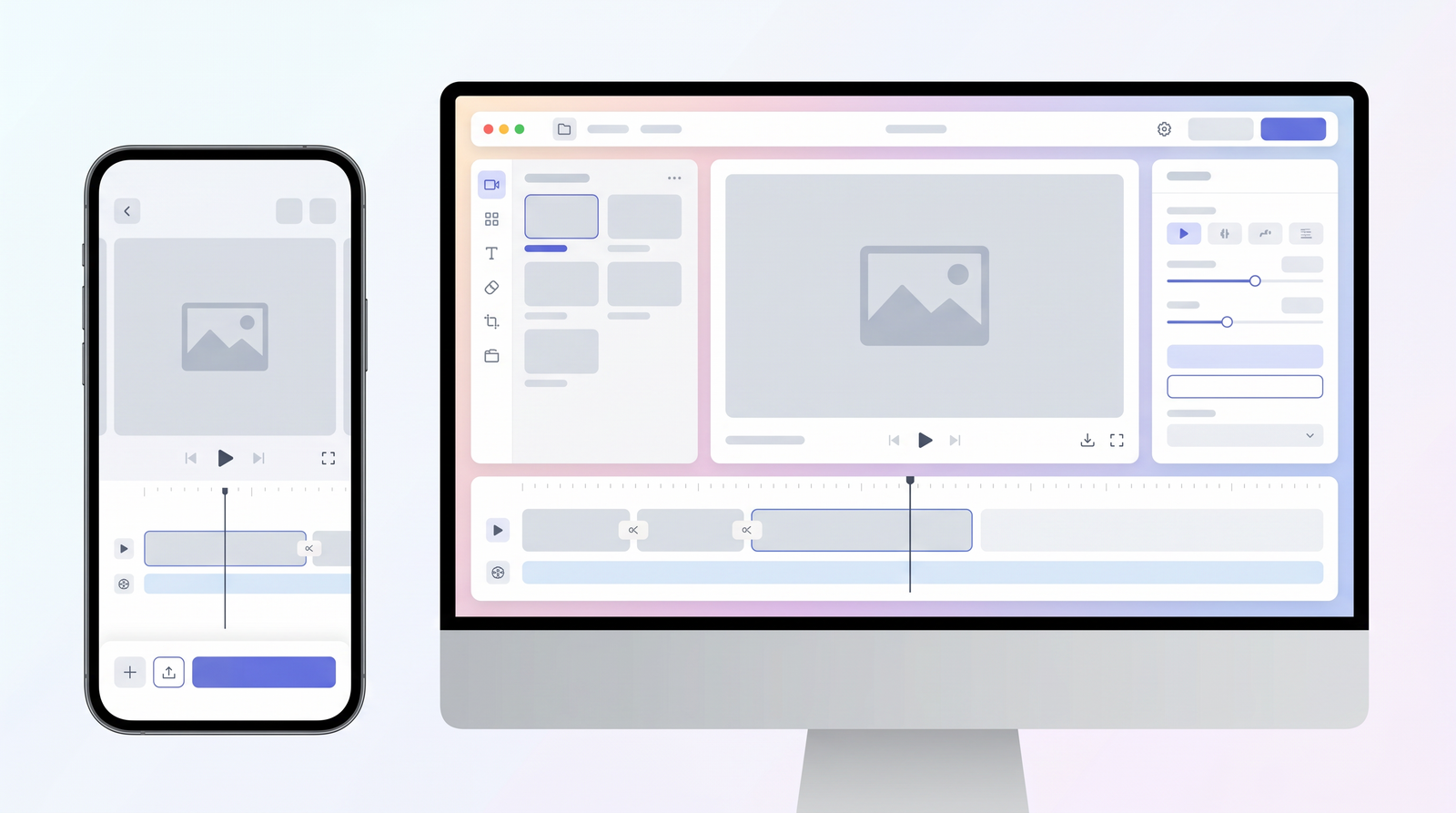
From my time experimenting with Synthesia, several aspects truly shine and make it a compelling tool for video creation. Foremost among these is its **ease of use**. I consistently found the platform incredibly intuitive, even for someone who isn't a seasoned video editor. The drag-and-drop interface, clear step-by-step process, and readily available templates mean you can go from an idea to a generated video remarkably quickly. This accessibility is a huge plus, effectively lowering the barrier to entry for professional video production.
Another major advantage is the **realistic avatars**. Many users, including myself, are genuinely impressed by how lifelike these virtual presenters appear. They move, gesture, and speak with a level of realism that can be quite convincing, especially in contexts where the audience is aware they're watching an AI-generated video. This realism contributes significantly to the professional output quality, making the generated videos suitable for corporate communications, marketing, and educational content where a polished look is paramount.
The overall **professional output** is a consistent win for Synthesia. Despite being AI-generated, the final videos often look crisp, well-produced, and far more sophisticated than what you might expect from a tool that requires no traditional video production skills. This makes it an invaluable asset for businesses and content creators who need high-quality video content but lack the resources or expertise for conventional methods. It's essentially a shortcut to polished video, making it **accessible for non-technical users** who want to create engaging visual stories without getting bogged down in complex software or expensive equipment.
Synthesia Cons: Where It Falls Short
While Synthesia offers impressive capabilities, my experience, and that of many others, reveals a few areas where it currently falls short. The most frequently cited issue, and one I certainly noticed, revolves around the **mouth synchronization**. While the avatars are generally realistic, their mouth movements don't always perfectly align with the spoken words, especially during longer sentences or complex pronunciations. This can sometimes create a subtle, uncanny valley effect that, once noticed, is hard to unsee. Closely related to this are the occasional **'swallowing artifacts'** – peculiar, brief movements that an avatar might make, almost like a digital gulp, which can break the illusion of realism. There's no way to edit these out within the platform, which can be frustrating.
Another significant point of contention for some users is Synthesia's **content moderation**. While understandable from a platform's perspective to prevent misuse, I've heard feedback that the moderated nature of Synthesia can be a 'deal breaker' for some, particularly instructional designers. This implies a level of oversight or restriction on the type of content that can be generated, which might limit creative freedom or content suitability for niche topics, although the specifics of these restrictions aren't always transparent.
Furthermore, despite the realism of the avatars, there's a definite limitation in **avatar customization**. As I previously mentioned, because many avatars are based on real people, you cannot change their clothing, hair color, or other personal features. This can be restrictive if you need a specific brand aesthetic or character design that isn't available off the shelf. Lastly, while Synthesia excels at turning script into video, it currently lacks substantial **initial content generation** capabilities. While it offers templates, it doesn't use AI to *write* your script or *generate* initial video concepts for you; you still need to bring your own content to the table. This means it's a powerful production tool, but not necessarily a content ideation engine, which some users might expect from an advanced AI platform.
User Experience & Performance
My overall user experience with Synthesia has been largely positive, primarily due to its thoughtful design. The **general user interface** is clean, intuitive, and easy to navigate, which is a huge advantage for anyone new to AI video tools. I found it quite straightforward to select avatars, input scripts, and arrange scenes. It feels like a well-designed web application rather than a clunky piece of software, which contributes significantly to its ease of use. This pleasant interface means you spend less time figuring out the tool and more time focusing on your message.
In terms of **generation quality**, the output is usually quite impressive. The videos are generally crisp, and the AI voices are natural-sounding. As noted, the realism of the avatars is a standout feature, and the overall polish of the generated video often belies the relatively simple input process. It genuinely feels like you're producing professional-grade content without having to invest in high-end equipment or specialized skills. However, one area where performance is a consideration is **processing efficiency**. While the generation process is automated, it's not instantaneous. For longer videos, you will need to factor in some waiting time as Synthesia renders and processes your content. This isn't a flaw, per se, but rather a practical aspect of complex AI rendering.
The **overall feel** of working with the platform is one of empowerment. It makes video creation accessible and efficient, which is a game-changer for many. You can iterate on scripts, experiment with different avatars, and quickly produce multiple versions of a video without the logistical headaches of traditional production. Despite the minor imperfections like occasional mouth sync issues, the core experience is smooth and productive. It’s a tool that lets you focus on the message and the narrative, delegating the technical complexities of video production to AI, which I find incredibly liberating.
Who Benefits Most from Synthesia? Use Cases
Having explored Synthesia's features and quirks, it becomes clear that certain individuals and organizations stand to benefit most from its unique offering. At the top of that list are **businesses** of all sizes. Companies can leverage Synthesia for a wide array of internal and external communications. Think about creating engaging training videos for new employees, quickly producing marketing content for social media campaigns, or crafting professional internal announcements without the usual production overhead. Its ability to standardize messaging across different departments or global teams, with consistent presenters, is a huge advantage.
**Content creators** also find immense value in Synthesia. If you're a YouTuber, a blogger looking to expand into video, or someone who needs to produce explainer videos regularly, Synthesia provides a streamlined workflow. It removes the pressure of being on camera yourself, dealing with lighting, sound, and editing, allowing you to focus purely on the script and message. This democratizes video production for those who might not have the budget or technical skill for traditional video creation.
Perhaps one of the most impactful use cases I've observed is within **instructional design** and **eLearning**. Synthesia has amazing potential for creating engaging and interactive educational content. Imagine producing countless modules for online courses, compliance training, or product tutorials with consistent, professional-looking virtual instructors. While some users note a current lack in template variety for eLearning specifically, the core capability of transforming scripts into instructional videos with realistic presenters is incredibly powerful for scaling educational content and making it more dynamic than static text or voice-overs alone.
Synthesia Alternatives & Market Comparison
In the rapidly evolving landscape of AI video generation, Synthesia isn't the only player, but it certainly holds a prominent position. When I look at alternatives, tools like HeyGen frequently come up in comparison. Both offer similar core functionalities – turning text into video with AI avatars – but they often have subtle differences in their avatar realism, customization options, pricing models, and overall user experience. It’s a competitive space, and each platform aims to carve out its niche by excelling in different aspects.
Synthesia's **unique selling points** often revolve around the high fidelity of its avatars and its reputation for producing professional, polished output. Many users praise its ease of use, making it particularly accessible for those without prior video production experience. This focus on realistic, high-quality virtual presenters and a streamlined workflow has helped it gain significant traction. When you consider how it stacks up against alternatives, you can see how it performs on Top10k.
While competitors might offer different pricing structures, a wider range of AI voices, or perhaps more dynamic visual effects, Synthesia consistently delivers on its promise of realistic digital humans and efficient script-to-video production. For many, the slight imperfections in mouth sync are outweighed by the sheer convenience and cost-effectiveness of generating professional video content at scale, bypassing the traditional complexities and expenses of hiring actors and film crews. It’s a tool that has truly pushed the boundaries of what’s possible in AI-driven media creation.
Is Synthesia Worth It? The Final Verdict
After spending time with Synthesia and evaluating its strengths and weaknesses, I've come to a clear conclusion: for the right user, Synthesia is absolutely worth the investment. Its value proposition is incredibly strong for anyone looking to create professional, engaging video content quickly and at scale, without the traditional costs and complexities of video production. If you need to produce training materials, marketing videos, internal communications, or eLearning content regularly, and you value efficiency and consistent quality, Synthesia is a powerful ally.
What it does best – turning text into video with highly realistic AI avatars – it does exceptionally well. The ease of use is a major draw, making professional video creation accessible to even non-technical individuals. It truly shines when you have a clear script and need a polished output without the hassle of cameras, studios, or human actors. The ability to iterate on content rapidly and maintain brand consistency across numerous videos is a significant advantage for businesses and prolific content creators.
However, it's not without its caveats. The occasional mouth synchronization issues, limited avatar customization, and the moderated content environment are aspects to be aware of. It's also crucial to remember that it's a production tool, not an ideation tool; you still need to bring your own well-crafted script. My final verdict is that Synthesia stands as a leading force in the AI video market. It's constantly improving, and while it hasn't made human presenters obsolete, it offers an incredibly compelling alternative for specific use cases, proving to be an indispensable tool for efficient, scalable, and professional video content generation in today's digital landscape.
Full profile and live ranking: https://top10k.com/ai/synthesia
Published by

Top10k Tools stands as a suite of online utilities that gives users access to thousands of free online tools designed to make daily work easier.
It brings together SEO, file conversion, calculators, developer utilities, image editing, and productivity. Each tool runs right in the browser, with no sign-up required to start.
The long-term vision is creating a complete library of 10,000 online utilities people actually need.
Whether you're a marketer, developer, student, or business owner, the right tool is just a click away. Start using the tools today.
Frequently asked questions
What is Synthesia?
Synthesia is an AI video generation platform that allows users to create professional videos using virtual presenters (avatars) and AI voices. You simply input a script, and the platform generates a video with an avatar speaking your text, eliminating the need for traditional cameras, actors, or complex editing.
Is Synthesia free to use?
Synthesia does not typically offer a free tier for ongoing use. While they might provide limited free trials or demos, consistent use of the platform requires a paid subscription. Pricing plans vary based on features and video output, catering to both individuals and businesses.
How much does Synthesia cost?
Synthesia's pricing generally falls within a range, with personal plans starting from around $18-$30+ per month and business plans costing $89+ or requiring custom quotes for enterprise solutions. The cost depends on factors like video minutes, features, and plan tier. It's best to check their official website for the most current pricing.
Is Synthesia easy to use for beginners?
Yes, Synthesia is widely praised for its ease of use. Its intuitive interface and straightforward workflow, from script input to video generation, make it accessible even for users without prior video editing or production experience. Templates also help beginners get started quickly.
What are Synthesia's main drawbacks?
Key drawbacks include occasional issues with avatar mouth synchronization and 'swallowing' artifacts, limited customization options for avatars (e.g., clothing), and content moderation policies that some users find restrictive. It also doesn't generate initial content; users must provide their own scripts.
Who benefits most from using Synthesia?
Synthesia is ideal for businesses needing scalable video content for marketing, training, or internal communications, content creators looking to produce professional videos efficiently, and instructional designers creating engaging eLearning modules. It suits anyone who needs high-quality video without traditional production complexities.
Are there good alternatives to Synthesia?
Yes, the AI video generation market is growing, with tools like HeyGen often cited as direct competitors. While Synthesia excels in avatar realism and ease of use, alternatives may offer different feature sets, pricing models, or specific advantages depending on individual needs.
Is Synthesia worth the investment for professional use?
For professional use cases requiring scalable, high-quality video content without the traditional overhead, Synthesia is generally worth the investment. Its efficiency, ease of use, and professional output make it a valuable tool for businesses and content creators who prioritize consistent, polished video production.